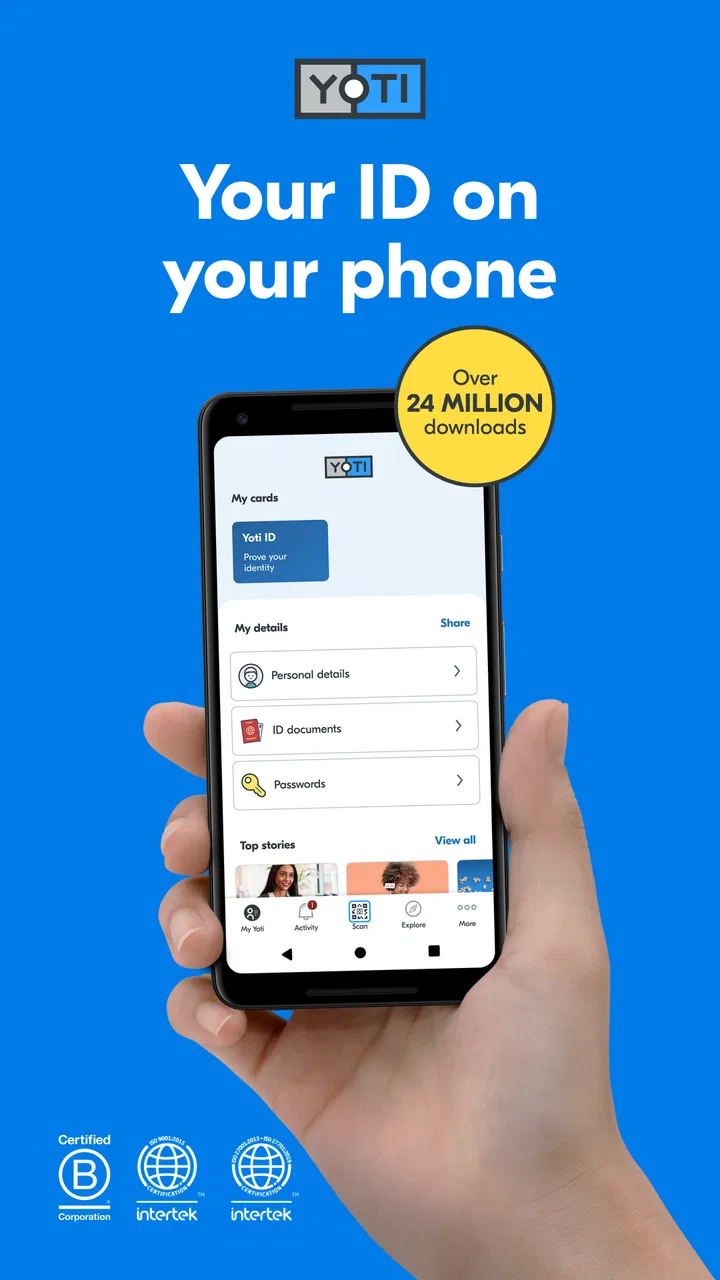
Yoti - your digital identity
- 4.3
- Rating
- 10.00M
- Installs
- Free
- Price

 Analysis by App-foxy
I found Yoti most useful when I stopped thinking of it as another account app and treated it as a digital identity tool I could keep ready for moments when a service asks me to prove who I am. Developed by Yoti, this free productivity app is designed around that simple purpose: keeping an identity credential available on a phone instead of repeatedly searching for physical documents or starting every verification process from scratch.
That sounds narrow, but it can make a difference in everyday situations. I would consider it when signing up for a service that supports Yoti, checking an age requirement, or handling an identity request away from home. The important qualification is that the other service must accept Yoti. It is not a universal replacement for a passport, driving licence, bank login, or every government identity system.
On Android, the app requires version 10 or later. It is rated for Everyone and is free to install, which makes trying it relatively low-risk from a cost perspective. The current version is 3.74.0, and its long presence since November 2, 2016, helps explain why it feels more like an established identity workflow than a novelty.
You May Also Like

 Blood Strike: 2.5 Anniversary
Blood Strike’s Loadouts Turn Every Drop Into a Tactical Gamble
A close look at Blood Strike’s custom loadouts: how fast access to signature weapons reshapes its battle royale rhythm, rewards preparation, and narrows the gap between fights.

 Pandora - Music & Podcasts
Pandora’s Music Is Easy to Start, but Harder to Recover
Pandora’s strength is its low-effort path from a seed to a station. Its weak spot is how much confidence it asks you to place in connection, setup, and quiet recovery.

 8 Ball Pool
 Is Built on Rivalries, Rematches, and Routine
A close look at the rivalries, rematches, shared routines, and unanswered safety questions that turn a quick pool match into a persistent mobile community.

 Samsung Music
’s Quiet Strength Is Playing What You Already Own
Its reach comes less from spectacle than from dependable access to a personal library. That simplicity is both the app’s strongest retention engine and its ceiling.

 AccuWeather: Weather Radar
AccuWeather Review: A Quick, Clear Forecast for Everyday Decisions
For everyday plans, the best forecast is the one you can understand quickly. AccuWeather makes rain timing, radar, and local conditions easy to act on, with a few trade-offs.

 Hill Climb Racing
Why Hill Climb Racing Still Turns Crashes Into One More Run
A tiny car, a bumpy hill and one more upgrade: Hill Climb Racing keeps resurfacing because its simple chaos makes every near-miss feel personal.
More From Our News Desk



How I use Yoti in a normal identity check
The first step is setting up the identity rather than expecting instant access on the first tap. I approach that stage patiently because identity apps are only as useful as the information they can reliably present later. I keep the phone charged, use a clear environment, and read each instruction instead of rushing through the camera or document prompts.
Once the account is ready, the basic pattern is straightforward: open Yoti when a supported service asks for verification, follow the request shown on screen, and review what I am being asked to share before confirming. That last pause is a habit worth building. Digital identity is not just about proving that I am a real person; it is also about understanding which details a particular check needs.
In a realistic example, imagine arriving at a venue or trying to complete an online registration while away from home. I may not want to carry several documents, and I may not have access to a printer or desktop computer. If the service supports Yoti, I can use the app as the identity step and continue from my phone. The convenience is less about speed in every situation and more about having a prepared route when the usual paperwork is inconvenient.
I also recommend checking the request carefully when the context feels unfamiliar. A verification prompt can look routine while still being attached to the wrong website, the wrong account, or a service I did not intend to use. Yoti can help with the identity exchange, but it cannot make a questionable service trustworthy. My rule is simple: verify the name and purpose of the request before approving anything.
The app’s average rating is 4.3 from around 43 thousand ratings, with roughly 1.9 thousand written reviews. It has passed 10 million installs, so it is not an obscure experiment. Those figures suggest broad adoption, but they do not remove the need to judge whether the services I use actually support it.
The setup habits that save frustration later
I would not install Yoti five minutes before an important appointment and assume everything will work perfectly. The sensible workflow is to set it up in advance, complete any identity checks when I have good lighting and stable connectivity, and then open it once afterward to make sure I understand the main screen.
A useful habit is keeping the phone’s operating system and the app current. The minimum Android requirement is version 10, so anyone using an older device should check compatibility before relying on it. I also keep enough free storage for normal phone operation and avoid beginning a document capture while the camera lens is smudged. These are small details, but identity verification is less forgiving than taking a casual photo.
When a scan or selfie-style step is involved, I remove glare, place the document on a plain surface, and avoid harsh overhead light. I do not interpret a failed capture as proof that the document is invalid. Often the problem is angle, reflection, focus, or movement. Repeating the same attempt without changing the conditions rarely helps; changing the lighting and positioning usually makes more sense.
Another practical point is device access. Because the identity is being used through a phone, I make sure I can unlock the device reliably and that I know which phone number or account details are associated with the setup. If I change phones, lose access to the old device, or reset the handset, I expect identity apps to require more care than an ordinary note-taking app. I would plan that transition before deleting anything.
Settings and privacy choices worth reviewing
I spend a few minutes reviewing the app’s security and privacy-related choices instead of accepting every prompt automatically. The exact options can vary with the device and current app build, but the principle remains constant: identity information deserves tighter control than a shopping list or social feed.
I prefer a strong device lock and avoid leaving an unlocked phone unattended. If Yoti offers an additional in-app protection option on my device, I enable it when the extra step does not interfere with normal use. A little friction at launch is reasonable when the app may be used to confirm personal identity. I would rather unlock deliberately than make the credential available to anyone holding my phone.
Notifications deserve attention too. I do not want sensitive details displayed in a notification preview on a shared lock screen. I check the phone’s notification settings and reduce previews if necessary. This is an easy-to-miss privacy improvement because the app itself may be secure while the operating system still reveals context around a request.
I also review camera access and any other permission requested during setup. I allow what is needed for a verification task, but I do not treat a permission prompt as something to approve without reading. If a permission appears unrelated to the action I am taking, I pause and investigate rather than continuing automatically.
The most important setting is often not a switch inside the app. It is the habit of checking what information is being shared. I look for the purpose of the request, the receiving service, and the categories of information involved. The best privacy feature is a deliberate approval habit, especially when a verification screen is unfamiliar.
For families, the Everyone age rating makes the app broadly accessible from a content perspective, but that should not be confused with every identity use being suitable for every child. Identity documents, account ownership, and consent still require adult judgment. I would not hand the phone to someone else and let them complete a verification request without knowing exactly whose identity is being used.
Faster patterns for repeat use
Experienced use is less about discovering secret functions and more about removing avoidable pauses. I keep Yoti in a predictable place on the phone, make sure the device is charged before travel, and avoid burying it in a folder that I cannot find when a verification screen is waiting. This sounds basic, but a repeatable launch routine matters when I am standing at a counter or working through a time-sensitive registration.
I also separate preparation from approval. I can prepare the phone, check the app, and make sure the camera works before I need to share anything. Then, when a genuine request arrives, I only have to review the details and confirm. That two-stage approach is safer than trying to configure the app while distracted by another service.
When a website or service presents a Yoti option on a computer, I keep the computer session open and use the phone only for the identity step. I read the instructions on both screens so I do not approve a request for the wrong session. If the connection between the two devices becomes confusing, I restart from the official service rather than repeatedly tapping through unclear prompts.
For repeated checks, I note which services I regularly use and whether Yoti is genuinely convenient for them. If one service always sends me through a longer process than the alternative, I do not force the digital identity route out of loyalty. The point is to reduce administrative work, not to turn one app into a mandatory gateway for everything.
A less obvious advantage is consistency. Physical documents can be in a wallet, a drawer, or a travel bag, while a phone is usually close at hand. But consistency only helps if the phone itself is dependable. I keep a backup plan for travel: a physical document where appropriate, a charged power bank, and enough time for a manual check if the digital route is unavailable.
That backup is not a criticism of Yoti specifically. Identity verification depends on the service requesting it, the phone, the connection, the document, and the person operating the process. Any one of those can create friction. A prepared user treats Yoti as a convenient option, not as the only door.
Where the app is strong, and where its limits show
Yoti is strongest when I need a phone-based identity workflow and the organization on the other side already supports it. In that situation, the app can be more convenient than repeatedly entering personal details or carrying documents for a simple check. It also gives me a dedicated place to handle identity requests instead of mixing them into a general-purpose password manager or email inbox.
It is less compelling when I rarely encounter supported verification requests. If my bank, employer, travel provider, and public services all use their own systems, installing another identity app may add complexity rather than remove it. I would also skip it if I am unwilling to complete the initial setup carefully or if I frequently use devices below the Android requirement.
Compared with carrying a physical identity document, Yoti is lighter and easier to keep available, but it depends on a charged, functioning phone and compatible service. Compared with password managers, it solves a different problem: a password manager is mainly for credentials, while Yoti is aimed at identity confirmation. Compared with signing into a service through a bank or government account, it can be more portable in supported situations, but it does not automatically replace those established routes.
There is also a trust trade-off. A dedicated identity provider can make the process clearer than sending document images through random email or chat, but I still need to decide whether I trust the service requesting the check. I would never use the presence of a Yoti button as the sole reason to proceed with an unfamiliar company.
Another limitation is that “digital identity” does not mean every detail can be used everywhere. A venue may need an age check, an employer may need a work-related identity process, and a financial service may require its own regulatory verification. The app can be useful within the boundaries of the supported workflow, but it cannot guarantee that one successful setup will satisfy every organization.
Support and recovery are areas where I would be especially cautious. Losing a phone, changing a number, or encountering a failed verification is more serious here than forgetting a casual app password. I keep recovery information current and avoid making a major identity check dependent on a single last-minute attempt. If the process fails, I read the error carefully, correct the likely cause, and use the service’s alternative route when available.
Who should install it, and who should pass
I think Yoti is a good fit for people who regularly use services that accept it, travel with limited paperwork, or want a dedicated way to handle identity checks from a phone. It can also suit anyone who prefers a repeatable digital process over sending identity documents through less structured channels.
I would recommend it to a friend with one condition: set it up before the urgent moment. Complete the identity process at home, review the security settings, test the basic navigation, and then use it when a real supported request appears. That preparation turns the app from a last-minute experiment into a practical tool.
I would tell someone to skip it for now if they do not have a compatible Android device, do not encounter supported services, or strongly prefer keeping identity documents entirely offline. It is also not the right choice for someone expecting a universal login that works across every website. In that case, a password manager, a bank’s authentication app, or an official government identity service may be a better match depending on the task.
My final impression is positive but measured. Yoti is not valuable because it replaces every other form of identification; it is valuable because it can make a specific kind of identity exchange more organized and convenient. The workflow becomes noticeably better when I combine careful setup, restrained notifications, a secure phone lock, and a habit of reviewing each request.
With more than 10 million installs and a free price, it is easy to try, while the Everyone rating keeps its presentation broadly approachable. Still, I would judge it by compatibility with the services I actually use, not by popularity alone. For me, Yoti earns a place on the phone when it removes repeated identity paperwork without encouraging careless approvals. Used that way, it is a practical productivity app for identity tasks; used as a universal replacement for every credential and document, it will disappoint.
FAQs for Yoti - your digital identity
01What is Yoti and how does it work?
Yoti is a digital identity app that allows you to securely store and share your personal information. It uses biometric technology to verify your identity, ensuring that your details are accurate and protected. Once set up, you can use Yoti to prove your identity in various situations, both online and offline.
02Is my personal information safe with Yoti?
Yes, Yoti prioritizes user privacy and security. The app uses advanced encryption to protect your data. Your information is stored securely, and only you have control over what details you share and with whom. Yoti adheres to strict data protection regulations, ensuring your data remains private.
03How do I set up my Yoti account?
Setting up your Yoti account is straightforward. Download the app, then follow the in-app instructions to take a selfie and scan your ID document. The app will guide you through the verification process, using your selfie and document to confirm your identity securely.
04Can I use Yoti to verify my age?
Yes, Yoti can be used for age verification. The app allows you to prove your age without revealing other personal information. This feature is particularly useful for accessing age-restricted services, ensuring you only share what is necessary while maintaining your privacy.
05Is Yoti available for both Android and iOS devices?
Yes, Yoti is available for download on both Android and iOS platforms. You can find it on the Google Play Store for Android devices and the Apple App Store for iOS devices. The app is free to download and easy to set up on either platform.
Pros
- Streamlines identity verification process.
- Offers secure document storage.
- User-friendly interface for easy navigation.
- Supports multiple forms of ID.
- Instant verification with businesses.
Cons
- Limited support in some regions.
- Requires stable internet connection.
- May not recognize all document types.
- App size could be reduced.
- Occasional login issues reported.

Yoti - your digital identity
Gallery